Within the menu item "Programme/module planner" you have the possibility to register for exams.
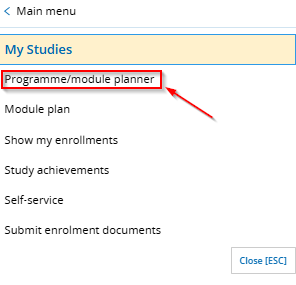
Select in the main menu "My Studies" > "Programme/module planner". This will take you to your achievements view of the study/examination regulations. Select the degree program for which you would like to register for an exam.
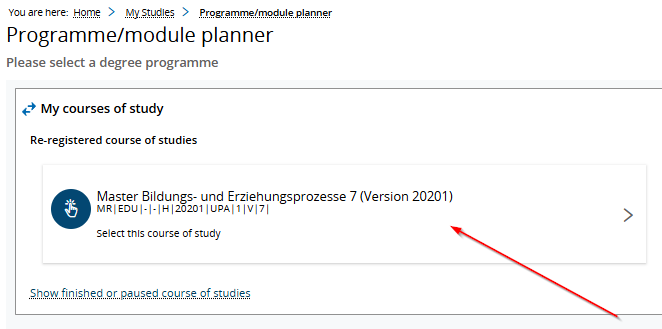
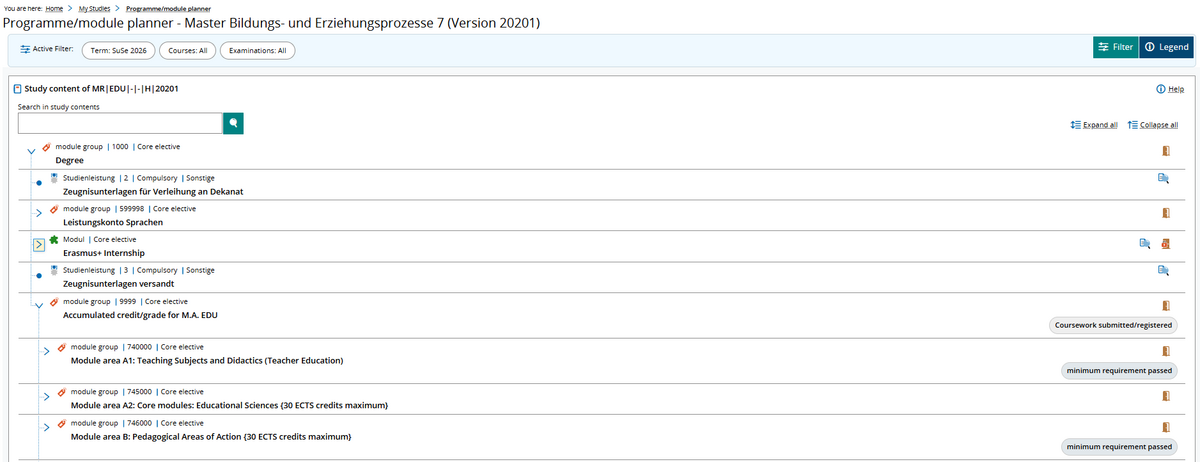
You will then see an overview of the curriculum for the program you have selected. From the degree summary, you can view the individual module areas, including the "Leistungskonto Sprachen" for languages.
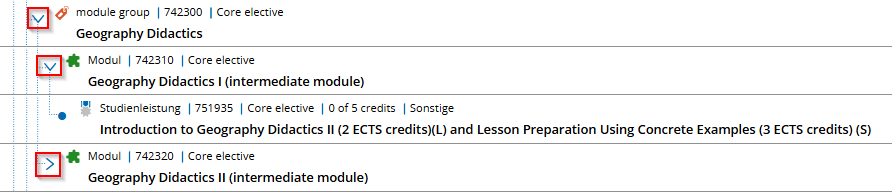
To open individual modules and access the desired exam, click on the blue arrow.
The curriculum for each program is set forth in the respective program’s academic regulations and examination guidelines. These academic regulations and examination guidelines can be found on the website of Abteilung V – Studierenden- und Rechtsangelegenheiten under “Rechtsvorschriften.”

To find your exam number faster, you can display all content elements with "Expand all" and search for the desired exam number with CTRL+F. Alternatively, you can also call it up via the filter or the search box.
Then click on the registration button on the right side of the desired exam. (Icon door with green arrow).

When registering pay attention to the title of the course, the examiner, the exam date and the exam semester as well as whether it is a course work (silver star) or an exam work (golden star). After successful forwarding, register for the exam by confirming the registration button again.

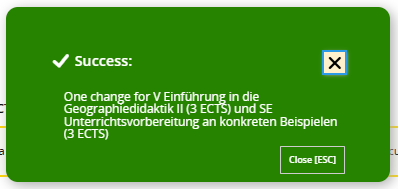
The "admission" symbol indicates a successful registration. A green notification box will also appear to confirm that you have successfully registered for the exam, along with the course title.
You can then view your current registrations under "My Studies" > "Show my enrollments".

Please note: For some seminar exams, registration may not be handled through the Campus Portal’s self-service system but must instead be processed through the department. Please check with your instructors and the websites of the respective departments for more information.