There are two options to check your grades:
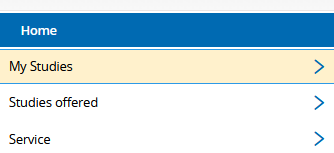
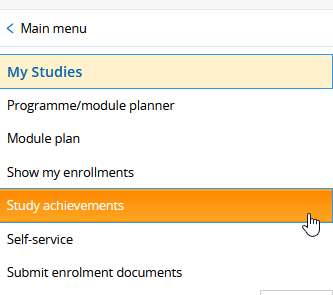
Select "My Studies > Study Achievements" in the main menu:
Once again, there are two ways to view your study achievements.
In the section „Study achievements“, click on the area "Expand all“.
Your entire achievement data will then be opened.
If you wish to undo this, click on „Collapse all“.
If you only want to view individual module areas, including the corresponding modules and courses, click on the blue triangle in front of them. This will expand only the desired modules and course or exam work.
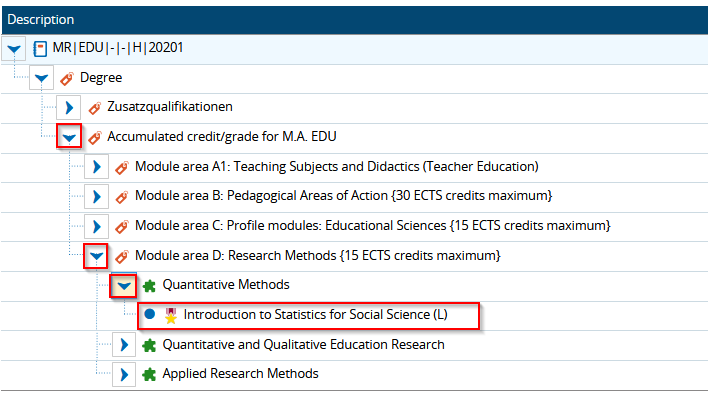
For the course and exam work, you can see your respective study achievement in the column "grade".
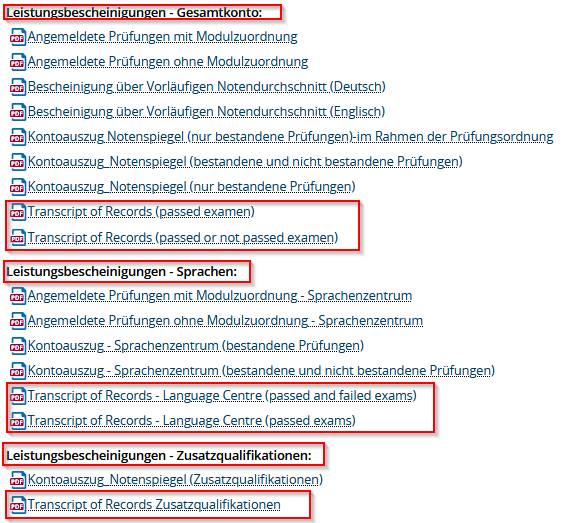
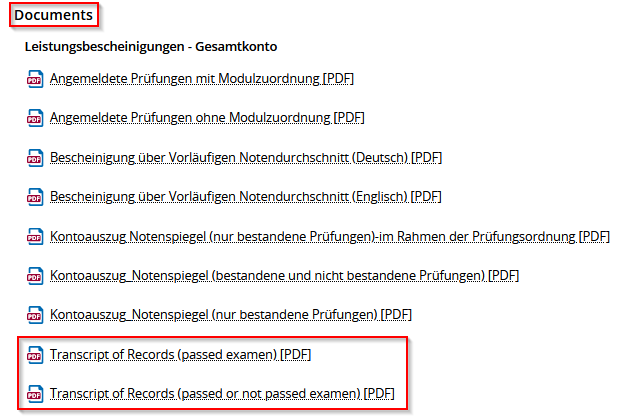
Your study achievement certificates can be found in the “Documents” section on the same page. Click on one of the two PDFs “Transcript of Records” as desired and download your grade transcript. You can then view the desired coursework or examination requirements in your overview of the study achievement structure.
Select „My Studies > Self-service“ in the main menu:
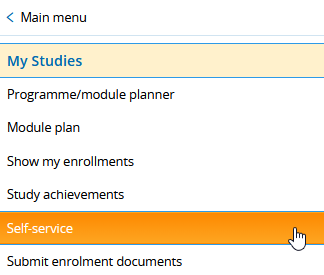
Click on the tab "Requested Reports/Reports".

On the right-hand side, you can download all certificates. There are various study achievement documents concerning your whole study program, the achievements regarding the language centre or additional qualifications. To view your achievements, select the required certificate.